 Agent Sentry
Let agents work. Keep them in bounds.
Agent Sentry recognizes the AI agents on your Mac and everything they start, and decides which servers they may reach. With the free Guard, it also decides which files they may read or change and which programs they may run. All of it works outside the agent, so the agent can't switch it off.
$12.99, once. No subscription. macOS 26 or later.
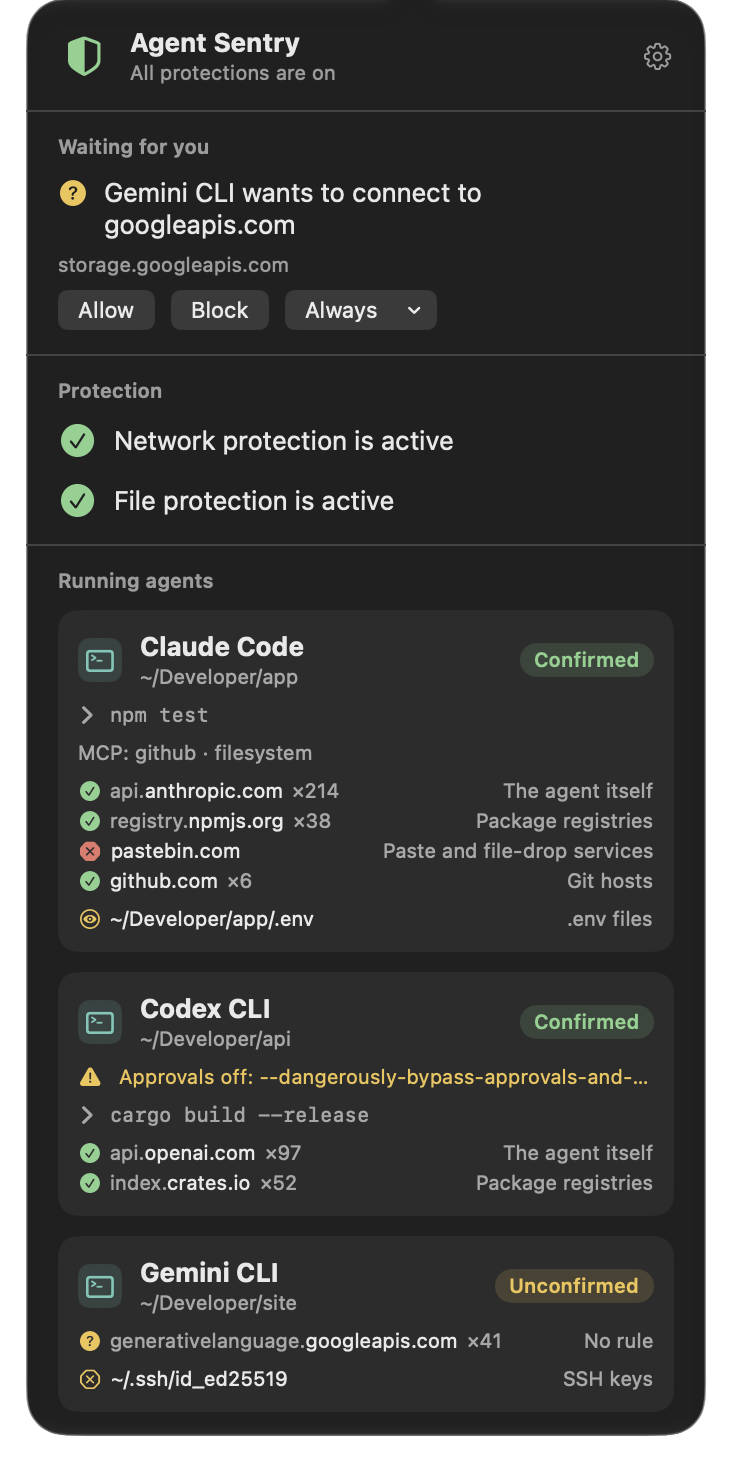
Rules for the agent, and everything it runs.
When an agent runs curl or cat, the program doing it is Apple's, not the agent's. So Agent Sentry follows each agent's whole family of processes, and applies its rules to every one of them.
Recognizes
Claude Code, Codex, Gemini CLI, Cursor, GitHub Copilot, Antigravity, Aider, OpenCode, Goose, Amp, and more than 40 agents, apps and model servers. Where its maker's signature proves it, an agent shows as Confirmed.
Follows
Every shell, script, tool and MCP server an agent starts belongs to its session, even after it detaches: for certain with the Guard, as best it can without. Your own Terminal stays yours.
Holds the line
The rules are kept by macOS system extensions, outside the agent's reach. An agent that can run any command still can't turn them off, and with the Guard it can't quit Agent Sentry either.
See what your agents are doing.
Every agent at a glance
Each running agent with its project folder, the command it runs now, its MCP servers, and the hosts it reached and was kept from.
Confirmed or not
An agent proven by its maker's signature is Confirmed. One known only by its name or location is Unconfirmed, and one known only from a variable it inherited is Inferred. Both get stricter rules.
Approvals off
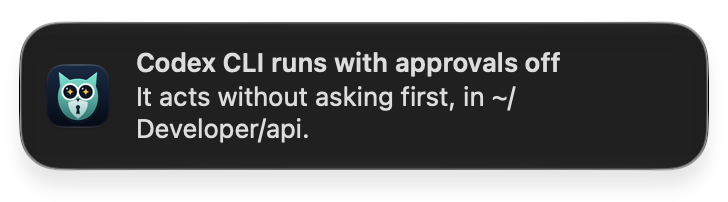
Started with --dangerously-skip-permissions, --yolo or the like, an agent acts without asking you. Agent Sentry tells you when one does.
Exposed secrets
Check a project for what an agent working there could read and send on: .env files with values, private keys without a passphrase, tokens in agent and MCP configurations. It shows where, never the secret.
A rule editor
Edit and delete every rule, the built-in ones included, limit any rule to the agents you choose, or reset them all as installed.
In your language
English, German, French, Spanish, Italian, Portuguese, Dutch, Polish, Japanese, Korean and Chinese.
Which servers each agent may reach.
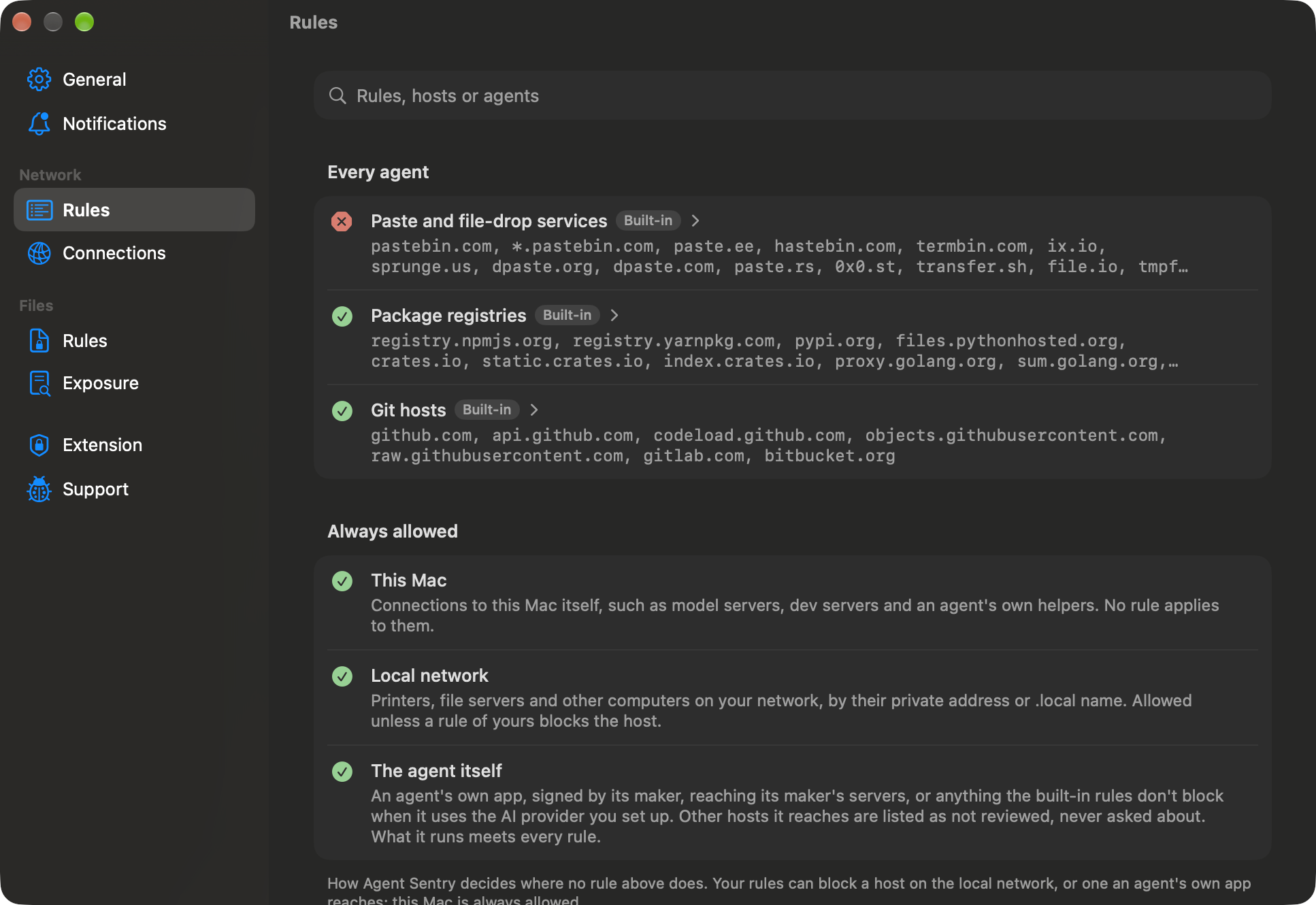
Agent Sentry's network filter sees every connection an agent's processes make, and the host it's for. Rules decide by who connects: an agent's own app, signed by its maker, reaches its maker's servers, while what the agent runs meets every rule.
- Paste and file-drop services are blocked from the start, the usual way to slip data out.
- An agent's own app reaching a host outside its maker's domains is listed as Not reviewed, so you see where it goes.
- Names are shown so they can't mislead: the domain that owns a name stands out, and one mixing alphabets says so. A connection without a readable name is listed by its address.
- Package registries and Git hosts are allowed, so builds keep working.
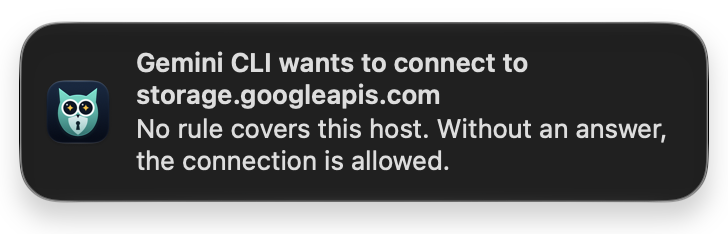
- Ask about hosts no rule covers: the connection waits while you answer. Off until you turn it on.
- Your Mac and your local network are always reachable.
Keys stay keys.
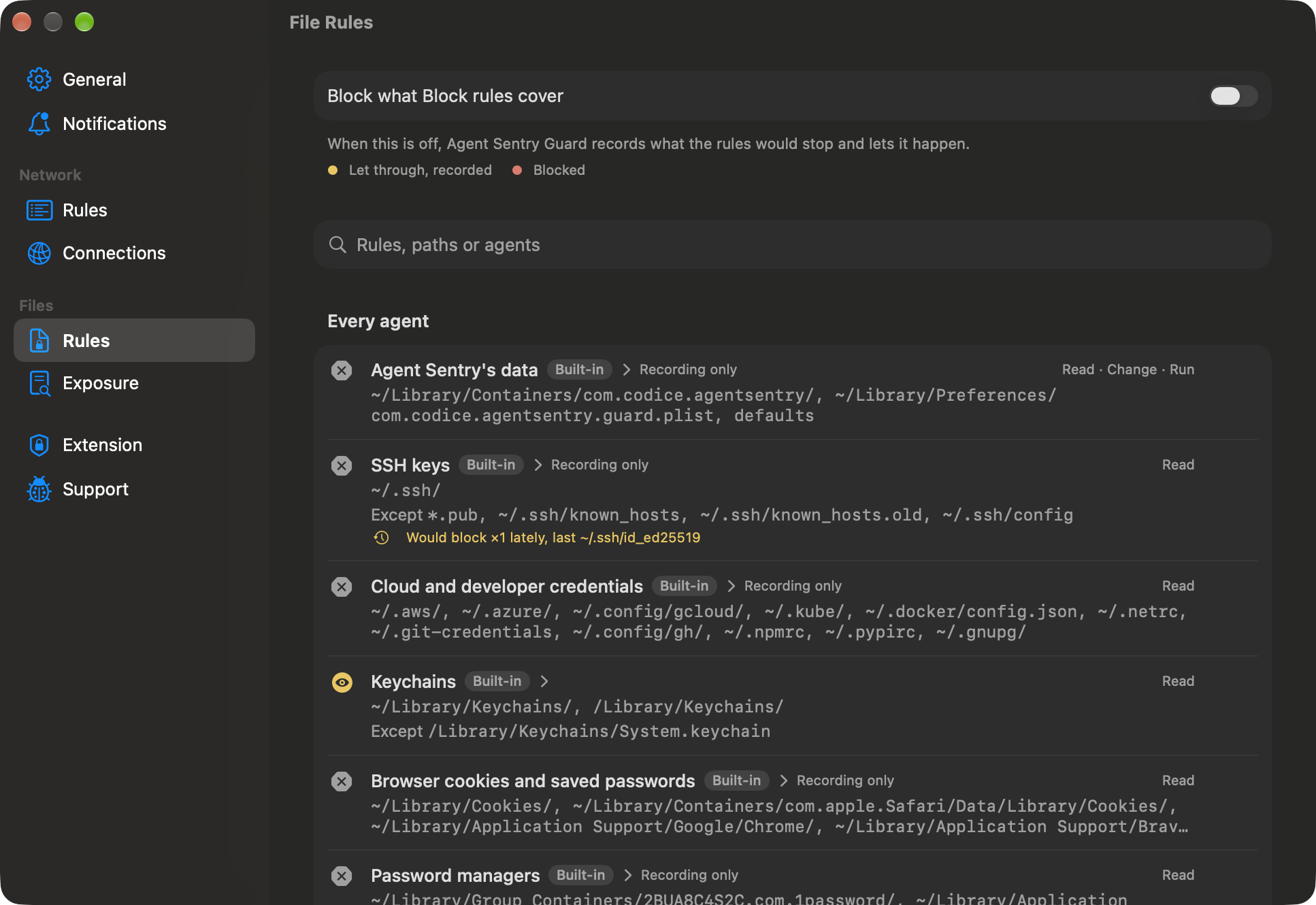
With Agent Sentry Guard, a free add-on, you also decide which files agents may read, write or delete, and which programs they may run. You set the rules in Agent Sentry.
- It starts by only recording: each agent's card shows what a rule would have blocked.
- Turn blocking on when you're ready. A blocked read fails with “Operation not permitted”.
- A program rule covers a renamed copy of the program too.
- Links, copies, clones and changes to a file's permissions or attributes are recorded too, and so are connections to the SSH agent and to Docker or Podman.
You hear about it, not your logs.
Agent Sentry tells you when an agent runs without asking you first, and, if you choose, when one wants a server no rule covers.
Free, and optional.
File and program rules come in Agent Sentry Guard, a free download from this site. It's a system extension that works through Endpoint Security, Apple's own framework for security apps, and changes nothing in macOS. Without it, everything else in Agent Sentry works as usual.
Nothing leaves your Mac.
No account, no analytics, no tracking. What your agents do, and the rules you set, stay on your Mac. Agent Sentry only goes online to send a problem report you've read first.
Pay once on the Mac App Store. Updates are free, and nothing is locked behind a subscription.